


在實務開發中,工程師經常需要面對規模龐大、結構複雜的程式碼專案,例如:Linux Kernel、嵌入式韌體。vim 作為一套高度可客製化的文字編輯器,若搭配 ctags 與 cscope 這兩個工具,便能建構出一個快速且方便的程式碼閱讀平台。透過這樣的組合,工程師可以在純文字環境中,迅速完成「跳轉函數定義」、「查找函數參考」等關鍵操作,大幅提升閱讀與維護程式碼的效率。本文將以實際使用情境為導向,說明如何設定 vim 並結合 ctags 與 cscope,協助建立一個日常開發的程式碼閱讀流程。
一、基本安裝
- 安裝 ctags。
sudo apt-get install ctags
- 安裝 cscope。
sudo apt-get install cscope
二、建立 ctags 資料庫
- 在專案目錄下,執行以下指令。
ctags -R
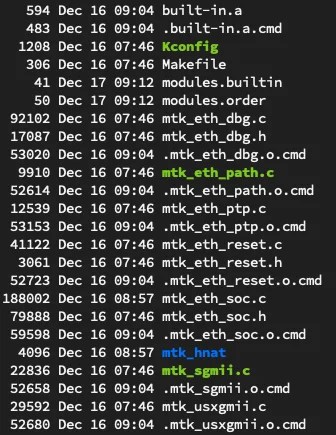
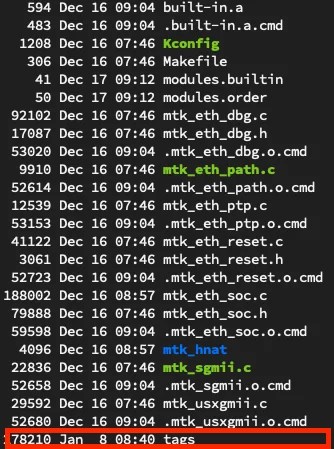
- 完成之後,在專案目錄下會生成一個 tags 檔案,如下圖所示。
三、建立 cscope 資料庫
- 在專案目錄中,依副檔名篩選程式碼檔案,並將所有符合條件的檔案名稱建立於 cscope.files 中。以下指令,即以「*.c」和「*.h」作為副檔名的篩選。
find ./ -name "*.c" -o -name "*.h" > ./cscope.files
- 執行以下指令,建立 cscope 資料庫。
cscope -Rbq -i cscope.files
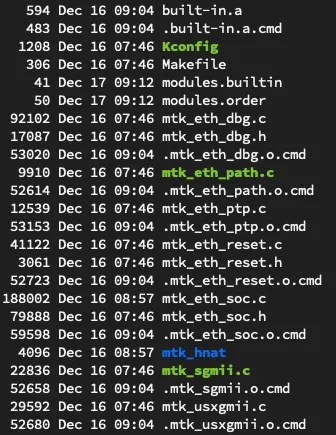
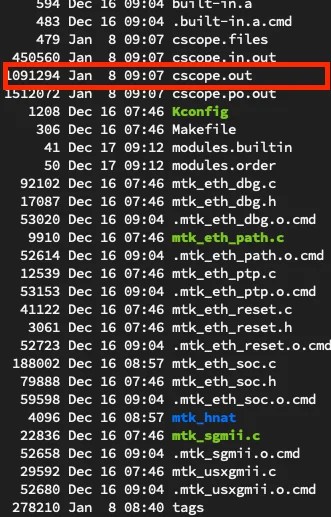
- 完成之後,在專案目錄下會出現一個 cscope.out 檔案,如下圖所示。
四、開始使用 ctags
- 在完成「二」步驟之後,進入專案目錄中, 使用 vim 開啟要閱讀的其中一個程式碼檔案,如下圖所示。


- 在指令模式下,輸入以下指令。
set tags=./tags


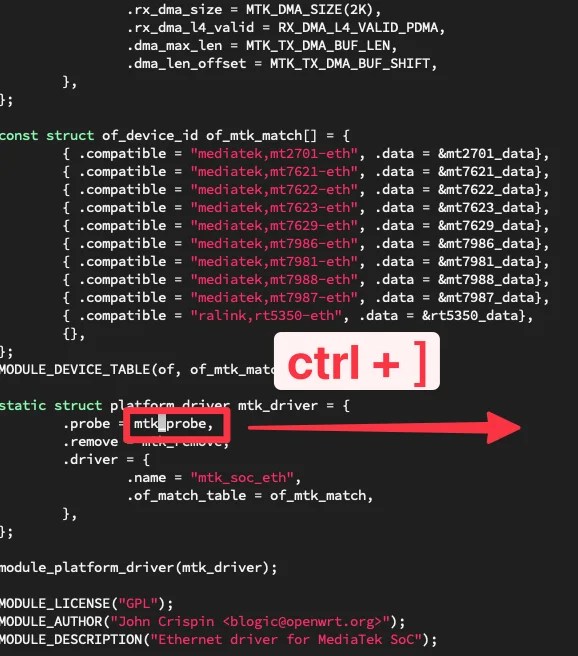
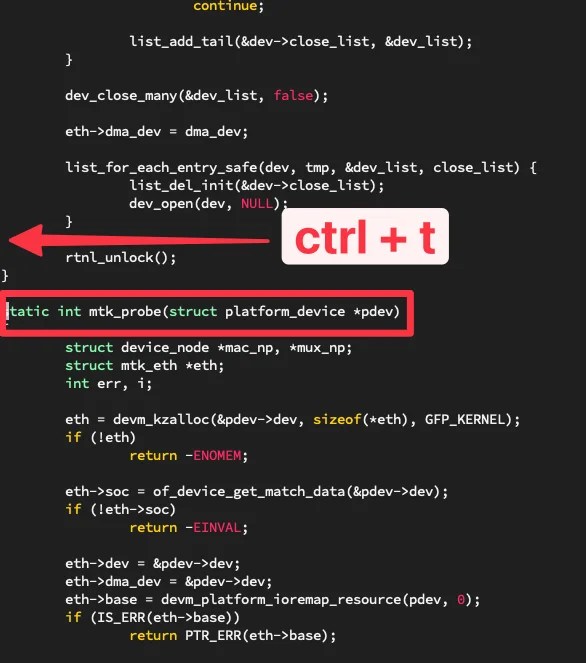
- 完成指令輸入之後,只需將游標移到函式或變數名稱上,即可使用快捷鍵查找其定義,並可進一步跳轉回該函式或變數的使用位置。
跳至該函式或變數定義
ctrl + ]
跳回使用此函式或變數處
ctrl + t
五、開始使用 cscope
- 在完成「三」步驟之後,進入專案目錄中, 使用 vim 開啟要閱讀的其中一個程式碼檔案,如下圖所示。

- 在指令模式下,輸入以下指令。
cs add cscope.out

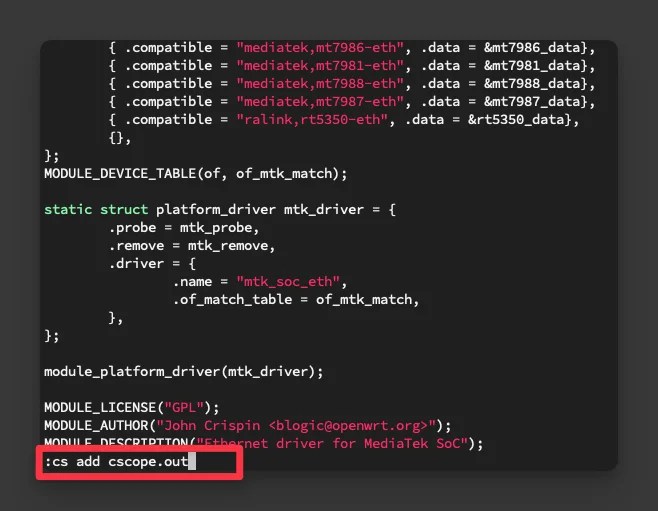
- 完成指令輸入後,即可在指令模式下使用下列指令,進行「跳轉函式定義」與「查找函式參考」等相關操作。
cs find s [name]
【查詢 C 語言的符號,例如函式名稱、巨集、列舉等在程式碼中出現的位置】
cs find g [name]
【查詢函式、巨集或列舉等的定義位置】
cs find d [name]
【查詢目前函式內所呼叫的其他函式】
cs find c [name]
【查詢有哪些函式呼叫了目前的函式】
cs find t [name]
【查詢指定的字串內容】
cs find e [name]
【以 egrep 模式進行查詢,功能類似 egrep,但搜尋速度更快】
cs find f [name]
【查詢並開啟指定的檔案】
cs find i [name]
【查詢有哪些檔案包含目前的檔案】
以下將以 cs find s [name] 為範例,實際示範其操作流程。以 mtk_add_mac 這個 API 為例,若需查詢其相關資訊,可在指令模式下輸入 cs find s mtk_add_mac,即可取得對應的搜尋結果。


- 由上述實際操作可知,每次進行查詢時皆需輸入較長的指令。為提升操作效率,可於 vim 中設定對應的快捷鍵;僅需在指令模式下輸入以下指令,即可啟用該快捷鍵。
nnoremap fs :cs find s <C-R>=expand("<cword>")<CR><CR>
nnoremap fg :cs find g <C-R>=expand("<cword>")<CR><CR>
nnoremap fc :cs find c <C-R>=expand("<cword>")<CR><CR>
nnoremap ft :cs find t <C-R>=expand("<cword>")<CR><CR>
nnoremap fe :cs find e <C-R>=expand("<cword>")<CR><CR>
nnoremap ff :cs find f <C-R>=expand("<cfile>")<CR><CR>
nnoremap fi :cs find i ^<C-R>=expand("<cfile>")<CR>$<CR>
nnoremap fd :cs find d <C-R>=expand("<cword>")<CR><CR>
以下將以 nnoremap fs :cs find s <C-R>=expand("<cword>")<CR><CR> 為範例,實際示範其操作流程。以 mtk_add_mac 這個 API 為例,若需查詢其相關資訊,先將游標移至 mtk_add_mac 上,再輸入 fs 即可取得對應的搜尋結果。


六、使用 .vimrc
- 根據前述實際操作可知,每次使用 vim 開啟檔案進行編輯時,皆需重新輸入指令以載入 ctags 與 cscope 的資料。為避免重複操作,可將 ctags 與 cscope 的相關設定寫入
.vimrc,使 Vim 在啟動時自動執行相關設定,進而可直接使用 ctags 與 cscope 的查尋功能。
" add  ctags database
set tags=./tags

" use both cscope and ctag for 'ctrl-]', ':ta', and 'vim -t'
set cscopetag
" check cscope for definition of a symbol before checking ctags: set to 1
" if you wan the reverse search order.
set csto=0

" add any cscope database in current directory
if filereadable("cscope.out")
   cs add cscope.out
" else add the database pointed to by environment variable
elseif $CSCOPE_DB != ""
    cs add $CSCOPE_DB
endif
" show msg when any other cscope db added
set cscopeverbose

" cscope/vim key mappings
nnoremap fs :cs find s <C-R>=expand("<cword>")<CR><CR>
nnoremap fg :cs find g <C-R>=expand("<cword>")<CR><CR>
nnoremap fc :cs find c <C-R>=expand("<cword>")<CR><CR>
nnoremap ft :cs find t <C-R>=expand("<cword>")<CR><CR>
nnoremap fe :cs find e <C-R>=expand("<cword>")<CR><CR>
nnoremap ff :cs find f <C-R>=expand("<cfile>")<CR><CR>
nnoremap fi :cs find i ^<C-R>=expand("<cfile>")<CR>$<CR>
nnoremap fd :cs find d <C-R>=expand("<cword>")<CR><CR>
.vimrc 設定檔可由此下載。
七、結語
透過本文的說明與實際操作示範,可以看出 vim 搭配 ctags 與 cscope,能在不依賴大型 IDE 的情況下,提供完整程式碼導覽能力。無論是查找函式定義、追蹤函式呼叫關係,或是快速定位符號使用位置,皆能大幅降低閱讀與理解程式碼的成本。
將相關設定整合至 .vimrc 後,更可使 vim 在啟動時即完成必要的環境建置,讓開發者能專注於程式碼本身,而非重複的操作流程。這樣的工具組合不僅輕量、穩定,也能隨著使用習慣進一步客製化,成為長期開發與維護專案的有力輔助。
期望本文能協助開發者建立一套實用的程式碼閱讀流程,並在日後的開發工作中,充分發揮 vim、ctags 與 cscope 的作用。